Live friends list
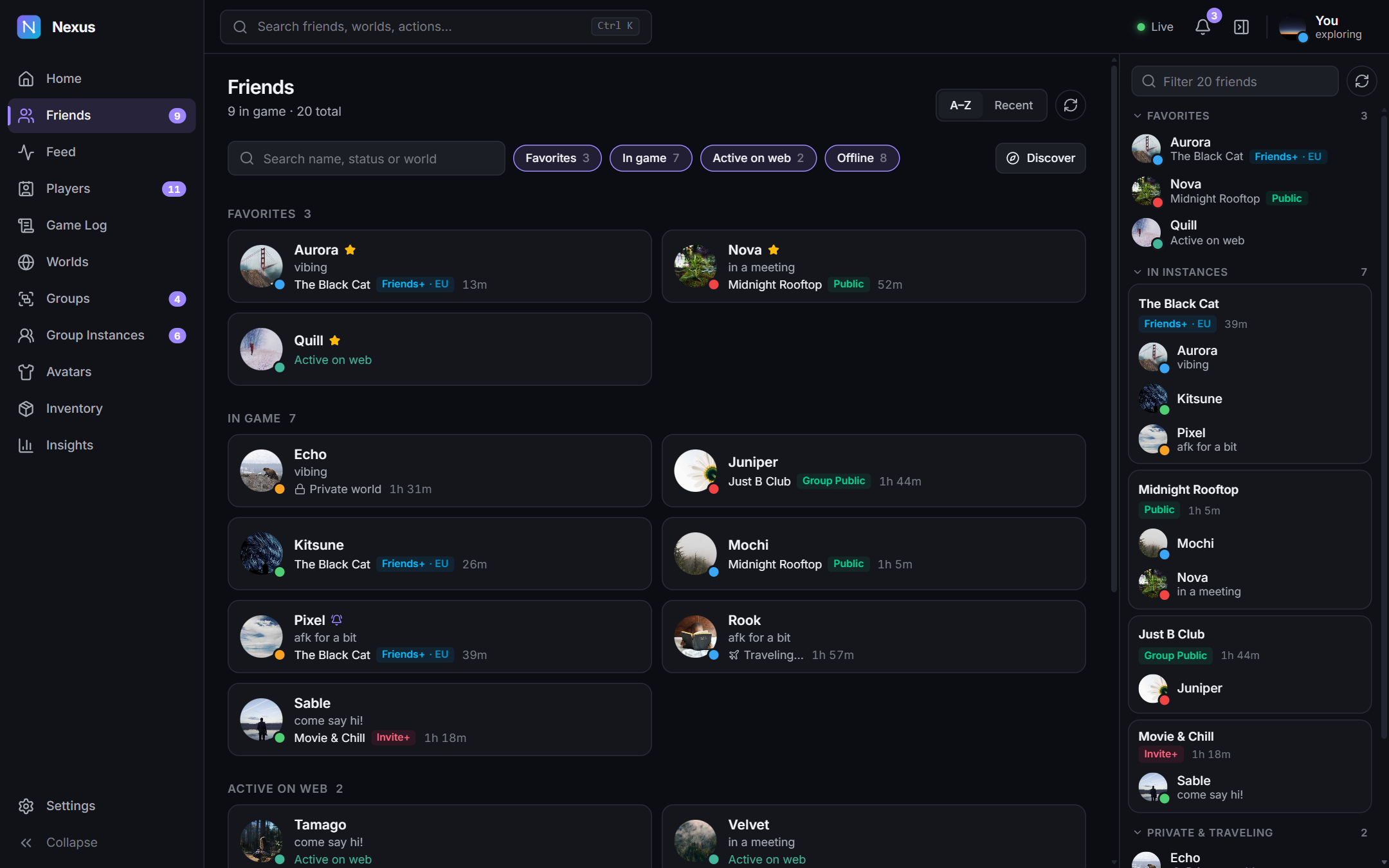
Status and location changes the moment they happen. Friends are grouped by the instance they're in, favourites on top. Join, Invite or Request invite from any page.
Latest release · Free & open source
Nexus is a fast, modern companion for Windows. See where every friend is the moment it changes, join them in one click, and keep a private history of every world and every encounter.
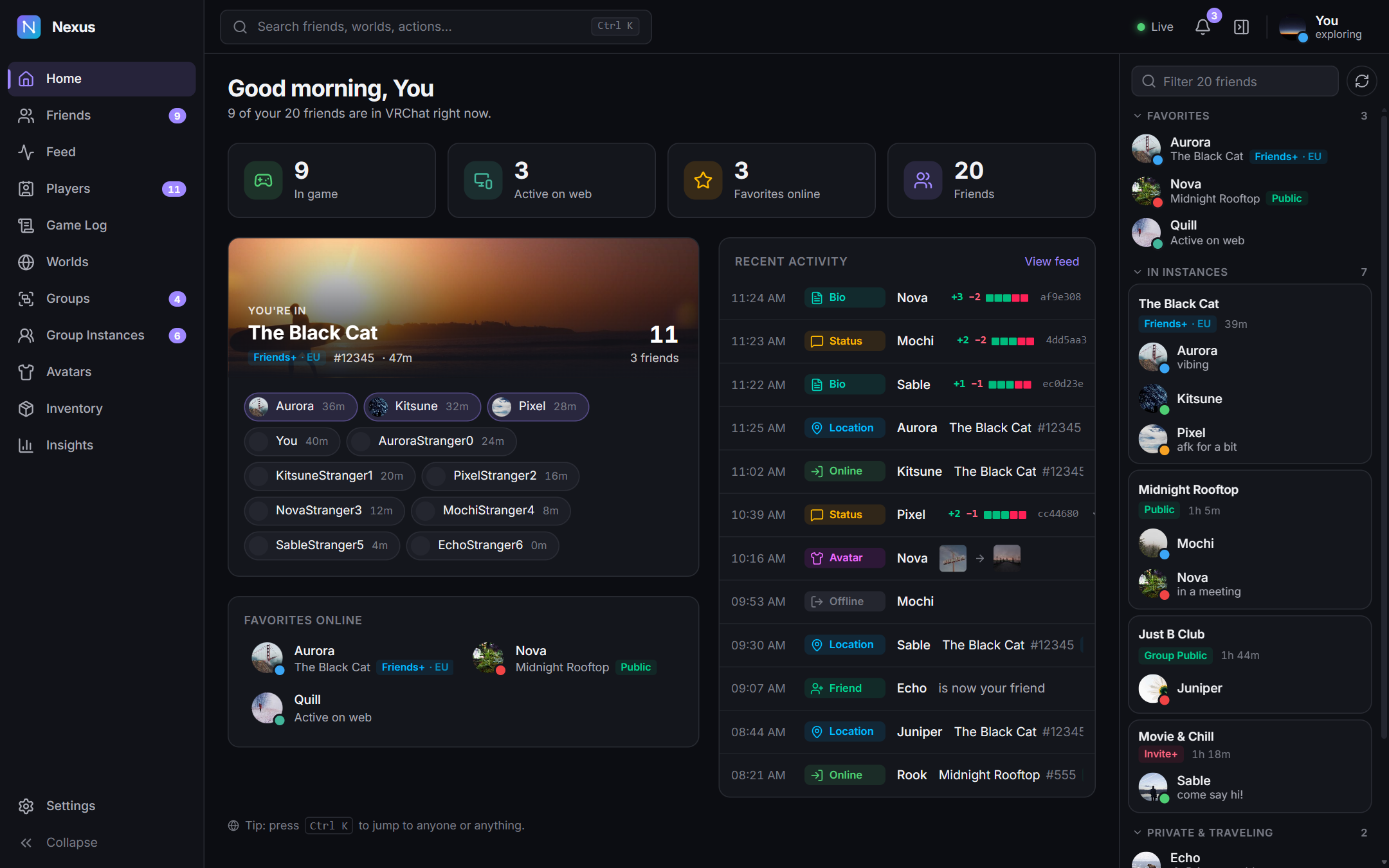
Nexus runs next to VRChat. It listens to VRChat's live connection for friend updates and reads VRChat's own log files, so it knows which worlds you visit and who you meet.
Status and location changes the moment they happen. Friends are grouped by the instance they're in, favourites on top. Join, Invite or Request invite from any page.
Time together, encounters, mutuals, what they've worn, and a private memo. Mute, hide, block or unfriend in one click.
A searchable history of every change, and every world visit with who was there and for how long. Works even when VRChat's API doesn't.
Hours played per day, a when-you-play heatmap, your top worlds and the friends you spend the most time with.
Announcements, open and close instances, join requests, roles, kicks and bans. Edit the icon, banner and rules.
Invites, friend requests and boops, with Accept, Join and Boop back. Windows alerts for exactly what you care about.
Show the world you're in on Discord (off until you turn it on). Browse worlds and instances, switch avatars, manage your inventory, Ctrl + K to jump anywhere, dark, OLED and light themes, multiple accounts, CSV export.
Real screens from Nexus's built-in demo account. Names and pictures are made up.
Nexus has no servers of its own. Your feed, game log, memos and stats are stored encrypted on your computer. It talks to VRChat, and to nothing else unless you turn it on.
Every request is paced so your account isn't rate limited. What you click goes first, then what you're looking at, and background work uses what's left.
Nexus checks GitHub for new releases and verifies each one against its built-in public key. Anything that doesn't match is refused.
Settings → Data → Import from VRCX brings over your feed, game log, “friends since” dates and memos. Only history from before Nexus started recording is imported, so nothing is doubled.
Nexus_x.y.z_x64-setup.exe from the latest release.
It installs for your user only. No admin rights needed.
With your VRChat account. Two-factor authentication is supported.
“Windows protected your PC”? The installer isn't signed with a paid certificate yet, so SmartScreen may warn the first time. Click More info, then Run anyway. Updates are still cryptographically signed and checked by Nexus itself.
Requires Windows 10 or 11 (64-bit) with WebView2, built into Windows 11 and installed automatically on Windows 10.
Free, open source, about 6 MB. Your friends are already online.